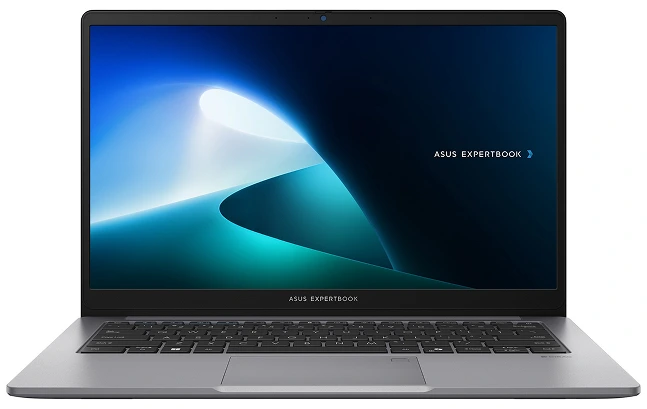



Comparison Guide 2026
ASUS ExpertBook vs VivoBook — Which ASUS Laptop Should You Buy?
ASUS makes a lot of laptops under a lot of names, and ExpertBook and VivoBook are the two ranges that come up most often when buyers are trying to decide. They sit at similar price points in places, they share ASUS’s build quality across the range, and from a spec sheet they can look nearly identical. The difference is not in the numbers, it is in what each laptop is actually built to do.
This guide covers the practical distinctions that matter, so you can make the right choice without having to read through every spec on every product page.
- September 1, 2026
- 20 min read
- Techyest Team
Already Know what you need?
Choose ExpertBook
Business use . Windows 11 Pro Advanced security . Durability

Choose VivoBook
Students . Home . Everyday use Great Performance . Great Value
What ExpertBook and VivoBook Actually Are
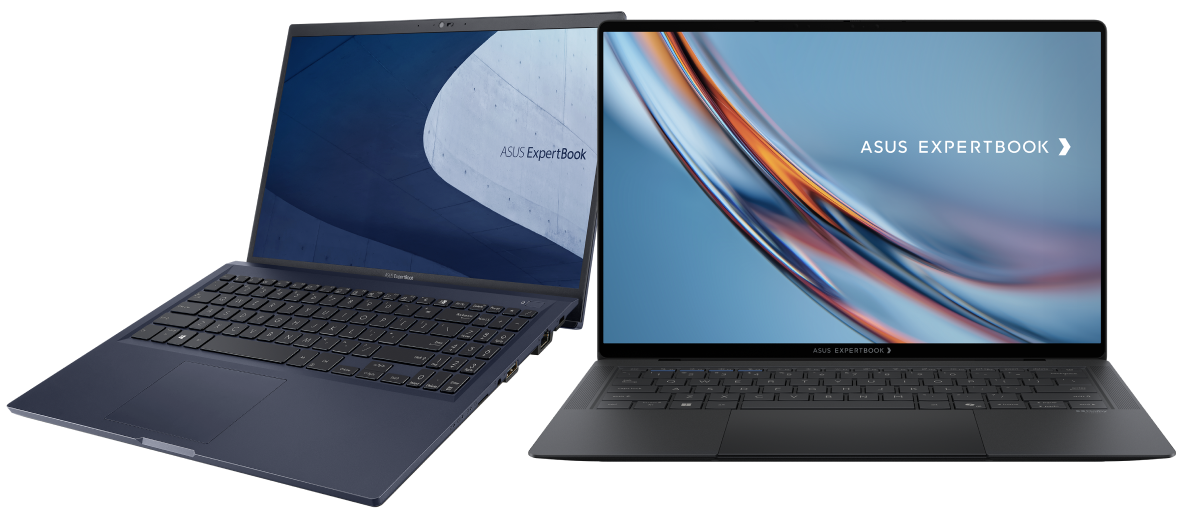
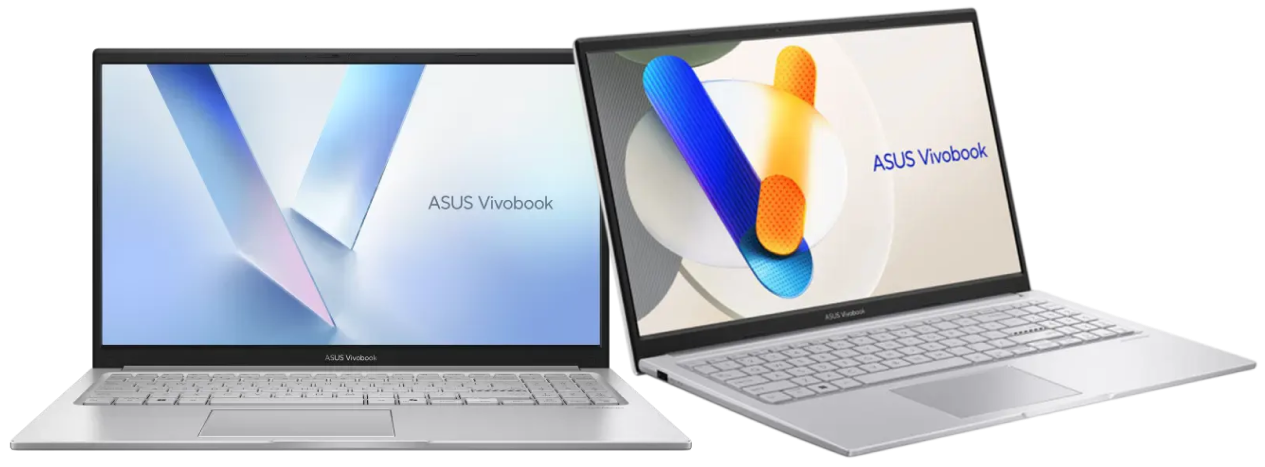
The short version: ExpertBook is ASUS’s business laptop. VivoBook is ASUS’s everyday laptop. They overlap in price in places, but they are designed for fundamentally different buyers.
Our Top Recommended Picks
If we had to recommend one
Asus ExpertBook P1
The Perfect balance of performance,
Portability and Reliability for Professionals
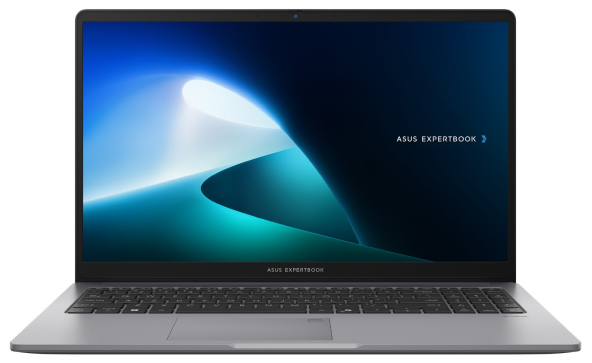
Efficient Business Performance
Intel Core 5 processing with 16GB DDR5 delivers smooth multitasking for everyday professional workloads.
Built to Move
At around 1.45 kg, the compact design makes it ideal for meetings, office work, and working on the go.
Secure Your Work
Fingerprint authentication, TPM 2.0, and a privacy shutter help keep your business data and conversations protected.
Price
Next Day Delivery
Order by 4pm
Manufacturer Warranty
Fast dispatch with full warranty protection
If we had to recommend one
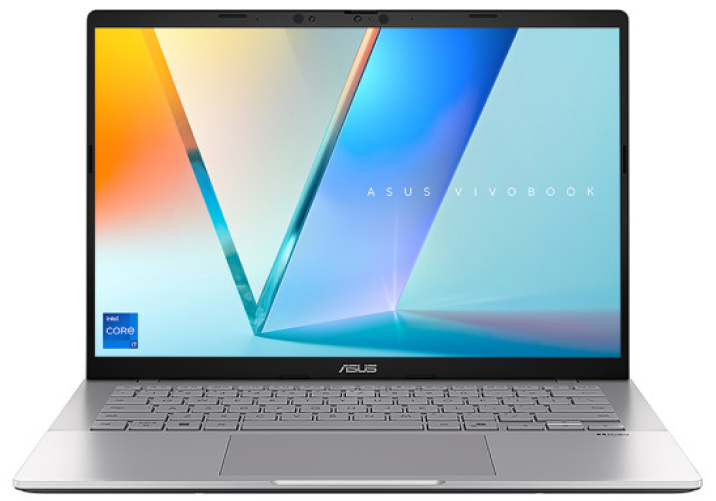
Asus Vivobook S14
Power Your Workflow
Intel Core i7 performance with 16GB DDR5 and 1TB SSD M.2 delivers fast, responsive performance for demanding professional workloads.
Work Anywhere
A lightweight 14" design makes it easy to carry between meetings, offices, and workspaces.
Built for Modern Work
A WUXGA 16:10 display, Full HD IR camera with privacy shutter, Wi-Fi 6, and fast connectivity keep you productive and connected.
Price
Next Day Delivery
Order by 4pm
Manufacturer Warranty
Fast dispatch with full warranty protection
How ExpertBook and VivoBook Actually Differ
Operating System — The Most Practical Difference
This is the clearest dividing line between the two ranges and the one with the most practical implications.
ExpertBook ships with Windows 11 Pro as standard across business configurations. Pro supports domain join, BitLocker encryption, Remote Desktop, and Microsoft Intune enrolment, the features IT teams need to manage company-owned devices centrally. For any professional environment where devices are managed by an IT team or connected to a company network domain, Windows 11 Pro is the correct edition and ExpertBook delivers it as standard.
VivoBook ships with Windows 11 Home throughout. Home covers everything a student or home user needs, online learning, Microsoft 365 personal use, streaming, and general computing, without the business management overhead. For personal use, Home is the right edition and paying for Pro features you will never use is an unnecessary cost.
If the OS edition is the deciding factor in your purchase, the answer is simple: business use requiring managed deployment means ExpertBook, personal use means VivoBook.
Build Quality and Durability
Both ExpertBook and VivoBook are well built by consumer laptop standards, ASUS’s manufacturing quality is consistent across its range. The difference is in how each is engineered for sustained use.
ExpertBook is designed and tested for professional daily use. The ExpertBook P Series in particular is commonly built to demanding durability standards, aimed at resistance to the kind of daily wear, drops, dust, temperature changes, that comes with regular travel and office use. The chassis construction is more robust and the build prioritises long-term reliability over premium aesthetics. Check the individual product listing for the specific durability testing carried out on any given model.
VivoBook is built to a consumer standard, solid and reliable for everyday use, but not engineered to the same durability specification as ExpertBook. For a student or home user, this is not a meaningful limitation. For a professional who carries their laptop daily between offices, client meetings, and travel, the ExpertBook’s durability focus is worth paying for.
Security Features
ExpertBook comes with dedicated security hardware that VivoBook does not typically include. TPM 2.0 chips for hardware-level encryption and fingerprint readers for biometric authentication are standard features built into the business range, not premium extras, because professional environments require them. Check the individual listing for the full security feature set on any specific model.
VivoBook includes TPM 2.0 on most current configurations this has become standard across most Windows 11 laptops but does not typically include the fingerprint readers and additional security hardware found across ExpertBook as standard.
For a business buyer, the difference matters. For a student or home user, the VivoBook’s security provision is more than adequate.
Processor and Configuration Range
VivoBook has the wider processor range of the two AMD Ryzen 5, Ryzen 7, Ryzen 9, AMD Ryzen AI 7 (Copilot+ capable), Intel Core i3, i5, i7, Intel Core 7, and Qualcomm Snapdragon configurations are all available across the VivoBook range. This breadth makes VivoBook the more flexible choice for buyers whose needs span a wider range of budgets and performance levels.
ExpertBook’s configuration range at Techyest focuses on Intel Core i5, i7, and Intel Core Ultra 5 processors suited to professional workloads. The range is narrower but more deliberately specified for the business use case it is designed for.
Design and Aesthetic
VivoBook models have a more consumer-oriented design language, available in multiple colour options, lighter chassis materials in places, and a design that prioritises modern appeal alongside everyday practicality.
ExpertBook has a professional aesthetic, typically silver or dark aluminium-finish chassis, clean and understated design, and a look that is appropriate for a client meeting or office environment without drawing attention to itself. It does not look like a consumer laptop because it is not designed to be one.
Neither approach is objectively better. It depends entirely on the environment you are buying for.
How They Compare Side by Side
Feature
ASUS ExpertBook
ASUS VivoBook
Primary Audience
Operating system
Build focus
Security features
Processor range
Copilot+ options
Design
Price position
Best for
- Business, professionals, IT-managed fleets
- Windows 11 Pro
- Business-grade durability on P Series
- TPM 2.0, fingerprint reader on selected models
- Intel Core i5, i7, Core Ultra 5
- Selected Core Ultra 5 models
- Professional, understated
- Mid-to-premium business
- Professional reliability, managed deployment
- Students, home users, everyday buyers
- Windows 11 Home
- Consumer grade
- TPM 2.0 standard
- AMD Ryzen, Intel Core, Snapdragon — widest choice
- Yes — Ryzen AI 7 and Snapdragon models
- Consumer-oriented, colour options
- Entry level to premium — broader range
- Everyday performance at accessible prices
Who Should Buy ExpertBook?
Buy ASUS ExpertBook if you are a professional, freelancer, or small business owner who uses their laptop as their primary work tool daily. If your workplace requires domain join, BitLocker encryption, or centralised device management, all of which need Windows 11 Pro. If you want business-focused durability and security features built in as standard rather than as optional extras. If you are an IT manager equipping staff with devices that need to be enrolled in Intune or managed across a company network.
If you are buying for a team, our Business Solutions team can help with bulk pricing and consistent configuration across multiple units. Our best business laptops guide covers the ExpertBook alongside other business ranges for broader context.
Who Should Buy VivoBook?
Buy ASUS VivoBook if you are a student, home user, or everyday buyer who needs reliable daily performance for browsing, streaming, coursework, documents, and general multitasking. If Windows 11 Home is sufficient for your needs and you have no requirement for centralised device management. If you want the widest choice of processor, screen size, and price point within the ASUS range. If you want an AI-ready Copilot+ PC, VivoBook’s Ryzen AI 7 and Snapdragon configurations offer Copilot+ capability that ExpertBook’s current range does not match for breadth.
Our best laptops for students guide and best laptops for home use guide cover VivoBook configurations in more depth alongside other brands at comparable price points.
What About ASUS ZenBook?
If you are comparing ExpertBook and VivoBook, ZenBook is worth a brief mention because some buyers at the higher end of the VivoBook price range wonder whether to consider it.
ASUS ZenBook is ASUS’s premium consumer range, thinner designs, higher-resolution displays including OLED panels, and premium build materials. Where VivoBook optimises for accessible everyday value, ZenBook optimises for a premium consumer experience. Where ExpertBook optimises for professional reliability, ZenBook optimises for premium aesthetics and display quality.
ZenBook is the right choice for buyers who want the best display quality and thinnest build within the ASUS range and are willing to pay a premium for it. It is not a business laptop, it runs Windows 11 Home and does not carry ExpertBook’s business-focused security or durability specification.
Frequently Asked Questions
What Is the Main Difference Between ASUS ExpertBook and VivoBook?
Is ASUS ExpertBook Worth the Premium Over VivoBook?
Can I Use a VivoBook for Work?
Does ASUS ExpertBook Come With Windows 11 Pro?
Are Any ASUS VivoBook Models Copilot+ PCs?
Which Is Better for Students, ExpertBook or VivoBook?
Do Both ExpertBook and VivoBook Come With UK Warranty?

TechYest Editorial Team
The Techyest Team is a group of UK-based laptop specialists providing practical, honest buying advice for consumers and businesses across the United Kingdom. Our content is researched and written by in-house specialists with hands-on experience across HP, Dell, Lenovo, and ASUS product ranges. Every recommendation is based on direct product knowledge and a clear understanding of what UK buyers need at different budgets. All buying guides published under the Techyest Team are reviewed for accuracy against current UK stock availability, pricing, and manufacturer specifications before publication.
Follow Us On:


In This Guide
Recommended Picks:
- AMD Ryzen AI 7
- 1 TB SSD
- 16 GB

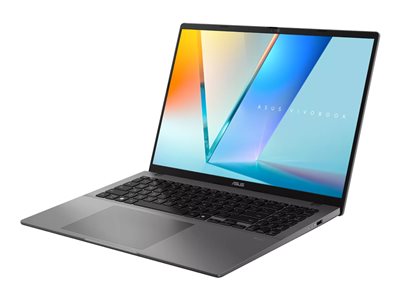
SKU: P1403CV-515X
- Intel Core 5
- 16GB
- 512 GB SSD