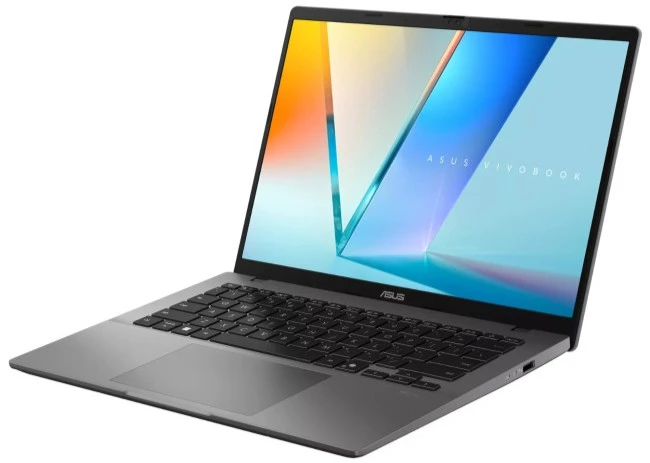



Laptop Buying Guide UK in 2026: How to Choose the Right Laptop
Choosing a laptop in 2026 can feel overwhelming. There are hundreds of models, dozens of specs to compare, and prices ranging from under £200 to over £2,000. How do you know what actually matters — and what’s just marketing noise? This laptop buying guide in UK 2026 cuts through the confusion.
Whether you’re heading to university, working remotely, or simply looking for a reliable everyday laptop, this guide covers everything you need: processors, RAM, SSD storage, display types, battery life, and budgets — so you can buy with confidence.
- May 22, 2026
- 12 min read
- Techyest Team



Business / Remote Work
Video calls, Multitasking, office productivity
- 16GB RAM
- 512GB SSD

Creative / Power Users
Photo/Video editing 3D demanding apps, Gaming
- 16-32GB RAM
- 512GB+ SSD
Quick Recommendation
Use Cases
Recommended Specs
Budget
Everyday Use
8GB RAM, 256GB SSD
Under £400
Students
16GB RAM, 512GB SSD
£400–£600
Business
16GB RAM, 512GB SSD
£500–£900
Creative Work
32GB RAM, 1TB SSD
£800+
1. What Will You Use the Laptop For?
Before looking at any spec, ask yourself one question: what will I actually use this for? The answer will immediately narrow your options and save you from overspending — or underspending.
Everyday use
If you're mostly browsing the web, streaming video, and managing emails, you don't need a powerful machine. A mid-range processor with 8GB RAM and 256GB storage will handle all of this comfortably without breaking the bank. Recommended spec: 8GB RAM, 256GB SSD, 15.6" display, under £400.
Student / University work
Students need a laptop that handles word processing, research, video calls, and the occasional presentation — plus enough battery to survive a full day of lectures without hunting for a plug socket. Portability matters here too. Recommended spec: 8–16GB RAM, 256–512GB SSD, 14" display, £350–£600.
Business / remote work
Professionals need reliability above all else. Look for a laptop with a good keyboard, strong build quality, a sharp webcam for video calls, and security features like a fingerprint reader or IR camera. Battery life of 8 hours or more is essential. Recommended spec: 16GB RAM, 512GB SSD, 14–15.6" display, £500–£900.
Creative work
Editing video or working in design software is demanding. You'll need a faster processor, more RAM, a larger SSD, and a high-quality display with accurate colors. Cutting corners here will mean frustrating slowdowns mid-project. Recommended spec: 16–32GB RAM, 512GB–1TB SSD, 15.6–16" IPS display, £800+
2. Processor (CPU) — The Engine of Your Laptop
Qualcomm Snapdragon X is the third major processor platform now appearing in Windows laptops in 2026. Designed specifically for efficiency and AI-powered features, Snapdragon X chips deliver exceptional battery life — often 15 hours or more in real-world use — while fully supporting Copilot+ PC features.
The tradeoff is software compatibility: Snapdragon X uses an ARM-based architecture, which means a small number of older Windows applications may run through emulation rather than natively. For the vast majority of everyday software — Microsoft 365, browsers, Teams, media apps — this is a non-issue. If you use specialist legacy software, check compatibility before buying a Snapdragon X model.
The processor (CPU) determines how quickly your laptop can handle tasks. The two main manufacturers are Intel and AMD, and both make excellent chips for 2026.
For Intel, the sweet spots are the Core i5 and Core i7 — the i5 handles everyday tasks and student workloads comfortably, while the i7 suits heavier multitasking and professional use.
AMD’s equivalents are the Ryzen 5 and Ryzen 7, which offer excellent performance and often better battery life at similar price points. Either brand is a solid choice — don’t get too hung up on brand names alone.
The newest generation to know about is Intel Core Ultra (sometimes labelled Copilot+ PC or AI laptop). These chips include a dedicated AI processor called an NPU, which improves battery efficiency and powers AI-assisted features in Windows 11. If you’re buying a laptop you want to last 4–5 years, a Core Ultra model is worth considering.
Qualcomm Snapdragon X is the third major processor platform now appearing in Windows laptops in 2026. Designed specifically for efficiency and AI-powered features, Snapdragon X chips deliver exceptional battery life — often 15 hours or more in real-world use — while fully supporting Copilot+ PC features.
The tradeoff is software compatibility: Snapdragon X uses an ARM-based architecture, which means a small number of older Windows applications may run through emulation rather than natively. For the vast majority of everyday software — Microsoft 365, browsers, Teams, media apps — this is a non-issue. If you use specialist legacy software, check compatibility before buying a Snapdragon X model.
One rule of thumb: Avoid Intel Celeron or Pentium processors on a Windows laptop in 2026. They’ll feel sluggish almost immediately.
3. RAM — How Much Do You Actually Need?
RAM:
(Random Access Memory) is your laptop’s short-term memory — it determines how many tasks your laptop can handle at once before slowing down.
8GB:
8GB is the absolute minimum for a Windows laptop in 2026. It’ll handle web browsing, documents, and video calls, but you’ll notice it struggling if you have 15+ browser tabs open alongside other apps.
16GB:
16 GB is the sweet spot for most buyers. Students, remote workers, and regular multitaskers will notice the difference immediately.
32GB:
32 GB is for creative professionals running demanding software like Adobe Premiere Pro, DaVinci Resolve, or AutoCAD.
A word of warning: if you see a Windows laptop advertised with 4GB RAM in 2026, walk away. It will feel slow from day one and there’s no fixing it without an upgrade — which isn’t always possible on modern laptops where RAM is soldered to the motherboard.
4. Storage (SSD) — Size and Speed Matter
The processor (CPU) determines how quickly your laptop can handle tasks. The two main manufacturers are Intel and AMD, and both make excellent chips for 2026.
Storage
Recommandations
- SSD
(Solid State Drive) is where your files, photos, apps, and operating system live. Modern laptops use SSDs rather than older.
- HDD
(Hard Disk Drive) technology — SSDs are significantly faster, more reliable, and completely silent.
- 256 GB
256 GB is the minimum you should accept. It's workable, but you'll fill it faster than you expect once Windows updates, apps, and files accumulate.
- 512 GB
512 GB is the sweet spot for most buyers — plenty of space for everyday use without paying a premium. If you work with video, large photo libraries, or design files, go for 1TB.
When comparing laptops, look out for NVMe SSDs — these are significantly faster than older SATA SSDs and are standard on most mid-range and above laptops. It won’t matter for casual use, but for loading large files or booting up quickly, it makes a noticeable difference.
5. Display — Size, Resolution, and Panel Type
The display is what you’ll stare at for hours every day, so it deserves more attention than most buyers give it.
Screen Size:
Screen size comes down to how you use your laptop. 13–14 inch screens are the most portable — ideal for commuters and students carrying their laptop everywhere.
15.6 Inch
15.6 inch is the most popular size in the UK, balancing portability with a comfortable working space.
16-17 inch
16–17 inch screens suit home users and creatives who prioritise screen real estate over portability.
Resolution
Resolution matters more than many buyers realise.
Full HD (1920 x 1080):
Full HD (1920×1080) is the minimum acceptable standard in 2026 — avoid anything lower (such as 1366×768), which will look noticeably soft and dated.
Panel Type
Panel type affects colour quality and viewing angles.
IPS Panel
IPS panels offer better colours, more accurate whites, and comfortable viewing from an angle — ideal for work and media.
TN Panels
TN panels are cheaper but look washed out from the side and have inferior colour reproduction. If the listing doesn't specify, check the product page or ask — it's worth knowing.
6. Battery Life — What the Numbers Really Mean
Battery life claims on spec sheets are almost always optimistic. Manufacturers test under ideal conditions — low screen brightness, minimal apps running, no video. Real-world battery life is typically 20–30% lower.
As a practical guide: under 6 hours of real-world use means you’ll need a charger nearby for any full working day — not ideal for students or mobile workers. 7–9 hours is decent and covers most working days comfortably. 10 hours or more is excellent and means genuine all-day use without anxiety.
AMD Ryzen and Intel Core Ultra chips tend to deliver better battery efficiency than older Intel Core i-series generations, which is another reason to favour newer processor generations when comparing models at a similar price.
7. How Much Should You Spend? UK Budget Guide
One of the most common questions when buying a laptop is simply: how much is enough? Here’s an honest breakdown by price band.
Under £300
£300 – £500
£500 – £800
£800 – £1,200
At this price you’re looking at basic Chromebooks or entry-level Windows laptops. They’ll handle simple browsing, email, and document work — but expect compromises on speed, build quality, and longevity. Fine as a secondary device or for very light use. See laptops under £300 on Techyest
£300–£500 This is the sweet spot for most UK buyers. You’ll find solid everyday laptops with 8–16GB RAM, 256–512GB SSDs, and decent displays. Brands like Lenovo IdeaPad, Asus VivoBook, and HP ProBook all sit comfortably in this range. For students and everyday users, this is where the best value lives. Browse recommended laptops under £500 on Techyest
£500–£800 This is where you move into business-grade reliability — better keyboards, stronger chassis, longer manufacturer warranties, and improved displays. If you’re buying for remote work or want a laptop that lasts 4–5 years, this range offers significantly better longevity than budget options. Good picks include the Lenovo ThinkPad E series and Dell business range. Browse laptops under £800 on Techyest
£800–£1,200 Professional-grade performance. At this level you get premium displays (often IPS or OLED), lighter magnesium alloy chassis, faster processors, and features like Thunderbolt ports and IR cameras. The Lenovo ThinkPad T/X series, HP Pro series, and Dell Pro sit here. If your laptop is a core work tool, this investment pays off in reliability and resale value. Browse laptops under £1,200 on TechyestPro
Under £300
£300 – £500
£500 – £800
£800 – £1,200
At this price you’re looking at basic Chromebooks or entry-level Windows laptops. They’ll handle simple browsing, email, and document work — but expect compromises on speed, build quality, and longevity. Fine as a secondary device or for very light use. See laptops under £300 on Techyest
£300–£500 This is the sweet spot for most UK buyers. You’ll find solid everyday laptops with 8–16GB RAM, 256–512GB SSDs, and decent displays. Brands like Lenovo IdeaPad, Asus VivoBook, and HP ProBook all sit comfortably in this range. For students and everyday users, this is where the best value lives. Browse recommended laptops under £500 on Techyest
£500–£800 This is where you move into business-grade reliability — better keyboards, stronger chassis, longer manufacturer warranties, and improved displays. If you’re buying for remote work or want a laptop that lasts 4–5 years, this range offers significantly better longevity than budget options. Good picks include the Lenovo ThinkPad E series and Dell Inspiron business range. Browse laptops under £800 on Techyest
£800–£1,200 Professional-grade performance. At this level you get premium displays (often IPS or OLED), lighter magnesium alloy chassis, faster processors, and features like Thunderbolt ports and IR cameras. The Lenovo ThinkPad T/X series, HP EliteBook 800 series, and Dell Latitude sit here. If your laptop is a core work tool, this investment pays off in reliability and resale value. Browse laptops under £1,200 on Techyest
8. Which Laptop Brand Should You Choose?
All four major brands sold at Techyest are reliable choices — the differences come down to what you prioritise.
- Click to Read






HP is one of the most well-rounded laptop brands available. The HP ProBook is a strong choice for students and professionals who want business features without a business price tag, while the HP OmniBook is a premium business machine built for durability, security, and long-term use.
Dell is known for premium build quality and one of the strongest business laptop ranges in the industry. The Dell is a firm favourite among IT departments and remote workers, while the DELL DC15250 offers excellent value for home and student use.
Lenovo arguably has the best keyboard reputation of any major laptop brand — a genuine differentiator for anyone who types a lot. The ThinkPad series is widely considered the gold standard for business laptops, while the IdeaPad range covers students and everyday users with great value at mid-range prices.
Asus offers some of the best value-for-money laptops on the market. The VivoBook series punches above its price point for students and home users, while the ROG and TUF Gaming ranges are built for performance-hungry users who need a capable machine for gaming or creative work.
9. 5 Things to Check Before You Buy
Before you confirm any purchase, run through this quick checklist:
1. Does it come with Windows 11 pre-installed?
Avoid older operating systems — Windows 10 support ended in October 2025, so avoid buying any laptop that still ships with it installed, meaning no more security updates.
2. Is it brand new — not refurbished — with a manufacturer warranty?
A brand-new laptop comes with a full manufacturer guarantee. Refurbished machines may be cheaper but carry more risk.
3. Does the price include VAT?
4. Can you upgrade the RAM or SSD later?
5. What is the return and warranty policy?
10. Ready to Choose Your Next Laptop?
The most important takeaway from this guide is simple: match the specs to your actual use case and budget, and prioritise RAM and SSD storage over headline processor numbers. Most buyers will be well served by 16GB RAM, a 512GB NVMe SSD, and a Full HD IPS display — in whatever price band fits their budget.
Buying brand new gives you a full manufacturer warranty, the latest security support, and a machine that will serve you well for years. Whether you’re a student, a remote professional, or equipping a team, there’s a laptop that fits both your needs and your budget. Prefer a faster way to decide? Try our Laptop Finder tool instead.
Frequently Asked Questions (FAQs):
What is the best laptop to buy in the UK in 2026?
There is no single “best” laptop for everyone — the right choice depends on your budget and how you plan to use it. For most UK buyers, a laptop with an Intel Core i5 or AMD Ryzen 5 processor, 16GB RAM, and a 512GB SSD offers the best balance of performance, battery life, and value.
How much RAM do I need in a laptop in 2026?
Is 256GB SSD enough for a laptop?
What is the difference between Intel and AMD laptops?
Both Intel and AMD make excellent processors for laptops in 2026. Intel Core i5/i7 and AMD Ryzen 5/7 are the most popular mid-range chips and perform similarly for everyday tasks. AMD chips often have a slight edge on battery life. Intel Core Ultra is the newest Intel generation, designed for improved battery efficiency and AI-powered features. Either is a reliable choice — focus on the RAM and SSD spec rather than the chip brand.
Should I buy a new or refurbished laptop?
A brand-new laptop comes with a full manufacturer warranty, the latest security software support, and no wear from previous use. Refurbished laptops can offer excellent value if purchased from a reputable seller with a proper warranty. However, battery wear, cosmetic condition, and shorter warranty periods are important factors to consider. If long-term reliability matters most, a brand-new laptop is usually the safer option.
What laptop is best for university students in the UK?
For most university students, a 14-inch laptop with 16GB RAM, a 512GB SSD, and strong battery life offers the best balance between portability and performance. The Lenovo IdeaPad, Asus VivoBook, and HP ProBook ranges all offer strong options in the £350–£600 price range.
What does Copilot+ PC mean?
Is it better to buy a laptop with more RAM or a faster processor?
What warranty do new laptops come with in the UK?
How long should a laptop last?

TechYest Editorial Team
The Techyest Team is a group of UK-based laptop specialists providing practical, honest buying advice for consumers and businesses across the United Kingdom. Our content is researched and written by in-house specialists with hands-on experience across HP, Dell, Lenovo, and ASUS product ranges. Every recommendation is based on direct product knowledge and a clear understanding of what UK buyers need at different budgets. All buying guides published under the Techyest Team are reviewed for accuracy against current UK stock availability, pricing, and manufacturer specifications before publication.
Follow Us On


In This Guide
Recommended Picks:
SKU: T26H4
- i5
- 16GB
- 512GB SSD

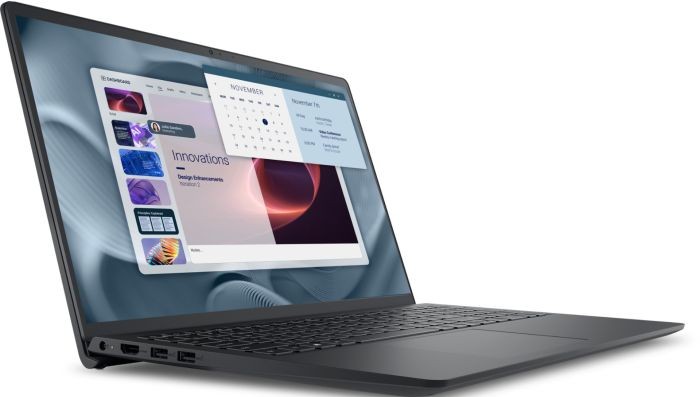
£795.50 Excl. VAT
SKU: M3407HA-VIVO-S14-R9
- Ryzen 9
- 32GB
- 1TB SSD